
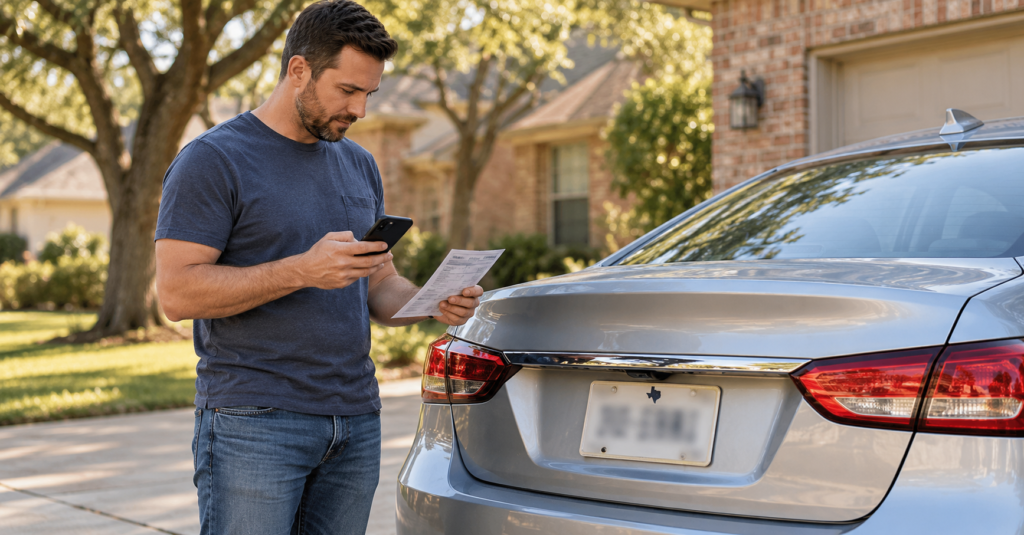
A new license plate changes information used to identify your vehicle on toll roads. Whether you receive Texas plates after moving, replace a missing plate or choose a personalized number, include your toll account in the update.
The sticker on your windshield is only part of the billing arrangement. The Central Texas Regional Mobility Authority explains that a driver can receive a separate Pay By Mail bill when an electronic tag is not detected and the license plate does not match an existing tag account. Accurate vehicle records therefore matter even when a tag remains installed.
Identify Who Currently Manages Your Tag Account
Begin with the agency that maintains your account. Check a recent statement, the official account portal or the app you normally use.
For example, NTTA manages TollTag accounts, while HCTRA manages EZ TAG accounts. Drivers with older TxTag records should follow the current account-management instructions: TxDOT now directs customers who need to manage a TxTag account to HCTRA.
If you have not accessed the account recently, recover access before trying to change vehicle information. Confirm that you can see the correct vehicle and transaction history.
The agency managing your tag may differ from the organization that operates a particular road. You will need that distinction if a separate invoice arrives later.
Check the Plate Number and Issuing State Together
Compare the account entry with the plate fitted to the vehicle and its registration documents. Review every character, including letters that resemble numbers.
Check the issuing state as well. After an interstate move, replacing the plate number while leaving the previous state selected can leave an inaccurate vehicle record.
NTTA advises customers to update their accounts when plate or vehicle information changes and identifies inaccurate account information as a reason customers may receive ZipCash invoices.
For the registration steps involved in an interstate move, see our guide to registering an out-of-state vehicle after moving to Texas.
Treat the toll-account update as a separate task. Verify what appears in the account instead of relying on the completion of your registration paperwork.
Match the New Plate to the Correct Vehicle
Household accounts can contain several vehicles, making it easy to edit the wrong entry.
Before saving, compare the year, make, model and tag number associated with the record. A new plate for one household member’s car should not replace the information attached to another vehicle.
NTTA’s TollTag agreement requires each tag to be associated with a single vehicle and license plate number.
If the account displays duplicate or unclear vehicle entries, ask customer service which record should be amended. Avoid deleting entries simply to make the list look cleaner before understanding their status.
When the plate change accompanies a vehicle purchase, explain that the vehicle has changed too. Updating only the plate field may leave the old car’s details attached to the account.
Confirm Whether the Physical Tag Needs Attention
A plate change and a tag replacement are separate issues. Tell the issuer whether you still have the same vehicle and windshield or whether you have replaced either one.
Ask whether the existing tag can remain active with the revised vehicle record. If a replacement is needed, confirm how it will be activated and how the previous tag should be handled.
Do not peel a windshield sticker off to inspect it or move it between cars. NTTA specifically states that removing its TollTag destroys the embedded technology and makes the tag unusable.
Use the account record or contact the issuer for help identifying the tag. This avoids turning a straightforward information update into an equipment problem.
Review Where Notices Will Be Sent
If new plates are part of a move, check the mailing address, email address and telephone number in your toll profile.
Also verify the owner address held in the vehicle records. TxDMV explains that toll violations or owner notifications go to the address recorded for the owner, which can differ from the address used for a registration-renewal recipient.
This distinction can matter when a parent owns a vehicle used by a student or when another family member receives renewal correspondence.
Make sure the person responsible for reviewing bills knows where notices will arrive. Access to an app does not remove the need to keep the relevant correspondence details accurate.
Check Funding Separately From Vehicle Details
An accurate plate entry does not resolve an account that lacks enough money to cover tolls.
The Mobility Authority identifies insufficient funds as another reason an electronic-tag customer may receive a Pay By Mail statement at the higher applicable rate.
Review the available balance, linked payment method and any recent replenishment failure. If the account uses automatic funding, check whether the latest payment succeeded rather than relying only on the setting being enabled.
Keep the two issues separate when speaking with customer service. A representative investigating a plate mismatch needs to know whether funding was also interrupted around the same time.
Save Evidence of the Change
After submitting the update, reopen the vehicle record and check that the information was saved correctly. Keep a dated screenshot or confirmation.
A useful record includes:
- The previous and replacement plate numbers and states.
- The vehicle and tag associated with the change.
- The date the new plates were fitted.
- The date you updated the account.
- Any customer-service reference number.
These details can help explain a transaction that occurred during the changeover. For example, a journey made before the update may need different investigation from one made after the account showed the correct information.
If the agency provides an effective date or processing period, retain that response. Do not assume every connected toll system applies an account change on the same schedule.
Review Journeys Around the Changeover
Once transactions appear, compare the travel dates with your records. Look at the road, time, vehicle information and charge rather than relying only on the overall account balance.
A charge posted after the plate update may relate to an earlier journey. Distinguish the date of travel from the date the transaction appeared.
For a household account, identify which vehicle made each journey before reporting an error. Similar commutes by different drivers can make otherwise valid transactions look unfamiliar.
If a recent journey is missing, ask the account issuer about its expected posting process. Absence from the current transaction list does not establish that no toll is due.
Investigate a Separate Invoice Through Its Issuer
If a bill arrives outside your normal tag account, identify the issuing agency and compare its listed journeys with your account history.
NTTA’s ZipCash billing information explains that statements show transaction details and that customers can review payments, adjustments and balances. Those details provide a starting point for checking whether a charge is outstanding or appears elsewhere.
Contact the invoice issuer with the invoice number, travel details and evidence of your plate update. Where necessary, ask your tag provider whether the transaction was received or rejected.
Request a clear explanation of any proposed correction. Ask whether the invoice needs separate payment, whether an adjustment has been approved and what happens to its deadline while the matter is reviewed. Keep the reference number and written outcome.
Use the Appropriate Process for Stolen Plates or a Sold Vehicle
An invoice for travel you did not make requires more than correcting the current plate field. Explain whether the previous plates were stolen, the vehicle was sold or the recorded journey appears to involve another vehicle.
The Mobility Authority lists specific dispute circumstances, including a vehicle sold before the journey or plates reported stolen before the journey. Its process requires supporting documentation linked to the relevant dates, plate or invoice.
Follow the instructions of the agency that issued your bill. Keep sale documents, relevant reports and correspondence available, and ask what evidence is needed for your particular situation.
A saved account update helps establish what changed. Resolving an existing bill also requires confirmation that the issuing agency has reviewed and addressed the disputed transactions.
Note: Account procedures, processing times and billing adjustments vary by toll agency. Confirm the requirements with your account issuer. For official information and current agency links, consult TxDOT’s Texas toll roads and managed lanes resource.